
To change your Name Servers, log into your Domain Management Interface, and click the Name Servers link. You will see a screen similar to this:
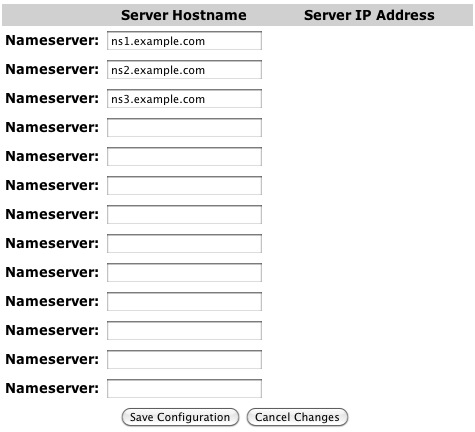
Name Server section of the Domain Management Interface
Enter the nameservers for the domain name into the Nameserver entry boxes.
Note: You only have to add the host name of the Name Server. (ie: NS1.EXAMPLE.COM) The IP address of the server is handled automatically.
After the changes are made, click Save Configuration. Please note this action does not delete the name server itself — it only removes it from being used by this domain name.
To remove a nameserver, you simply erase it from the entry box.
Comments
0 comments
Please sign in to leave a comment.