
This articles explains how to enable IPN (Instant Payment Notification) in your Paypal account. IPN allows paypal to send notifications to your web application to notify the web application of a payment to your paypal account. The web application will then generally log that notification data with an order. Without IPN setup correctly, the web application will have no way of knowing that an order was process by paypal.
This is a very quick and easy to enable IPN on your paypal account.
- First log in to your Paypal account.
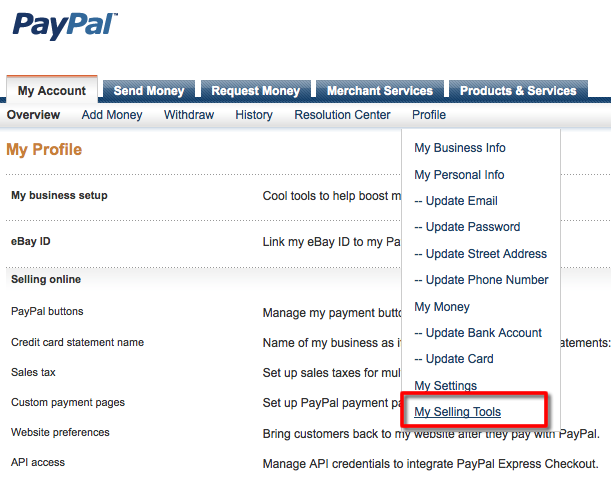
- Click on My Account >> Profile >> My Selling Tools
- Scroll down to the section untitled "Getting paid and managing my risk".

- Click "Update" on the line "Instant payment notifications"
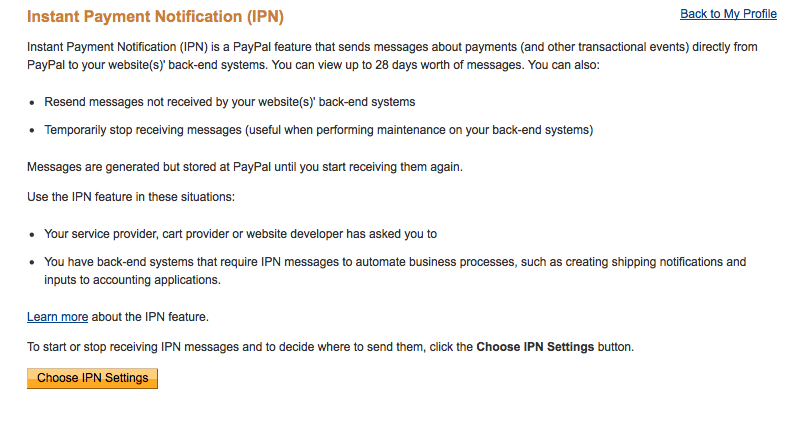
- Click Choose IPN Settings
- Select Receive IPN Messages (enabled) and enter the URL provided which may look something like
https://(your domain)/checkout/process/paypalwps. If the URL we provided for your application is different, use the one we provided.
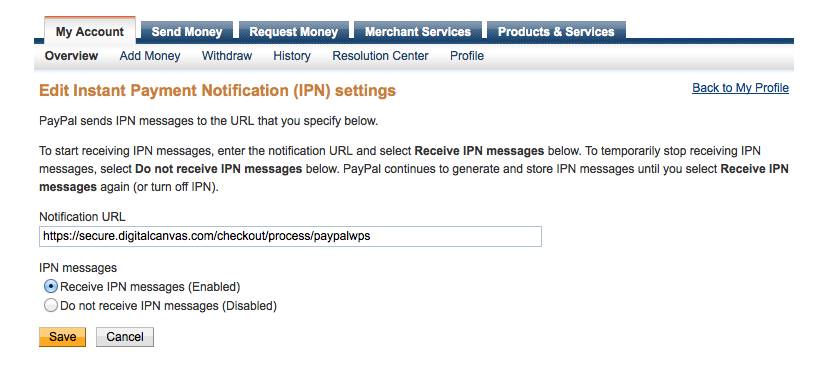
- click Save
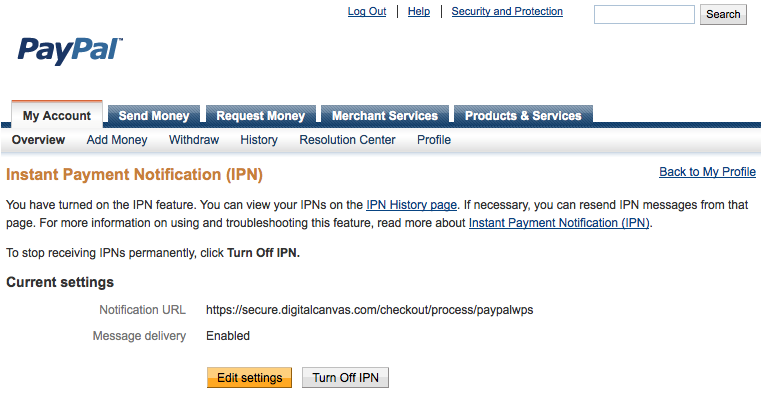
Your final screen after you save should look something like the image below, then your Paypal account is setup correctly to send Instant Payment Notifications to the web application.
Comments
0 comments
Please sign in to leave a comment.